



Find documents
Find the right document without digging through folders.
An in-house AI that answers only from documents the employee can open
Answers from company documents and drafts recurring paperwork. Every answer shows the document and page it used. Employees keep the final review.
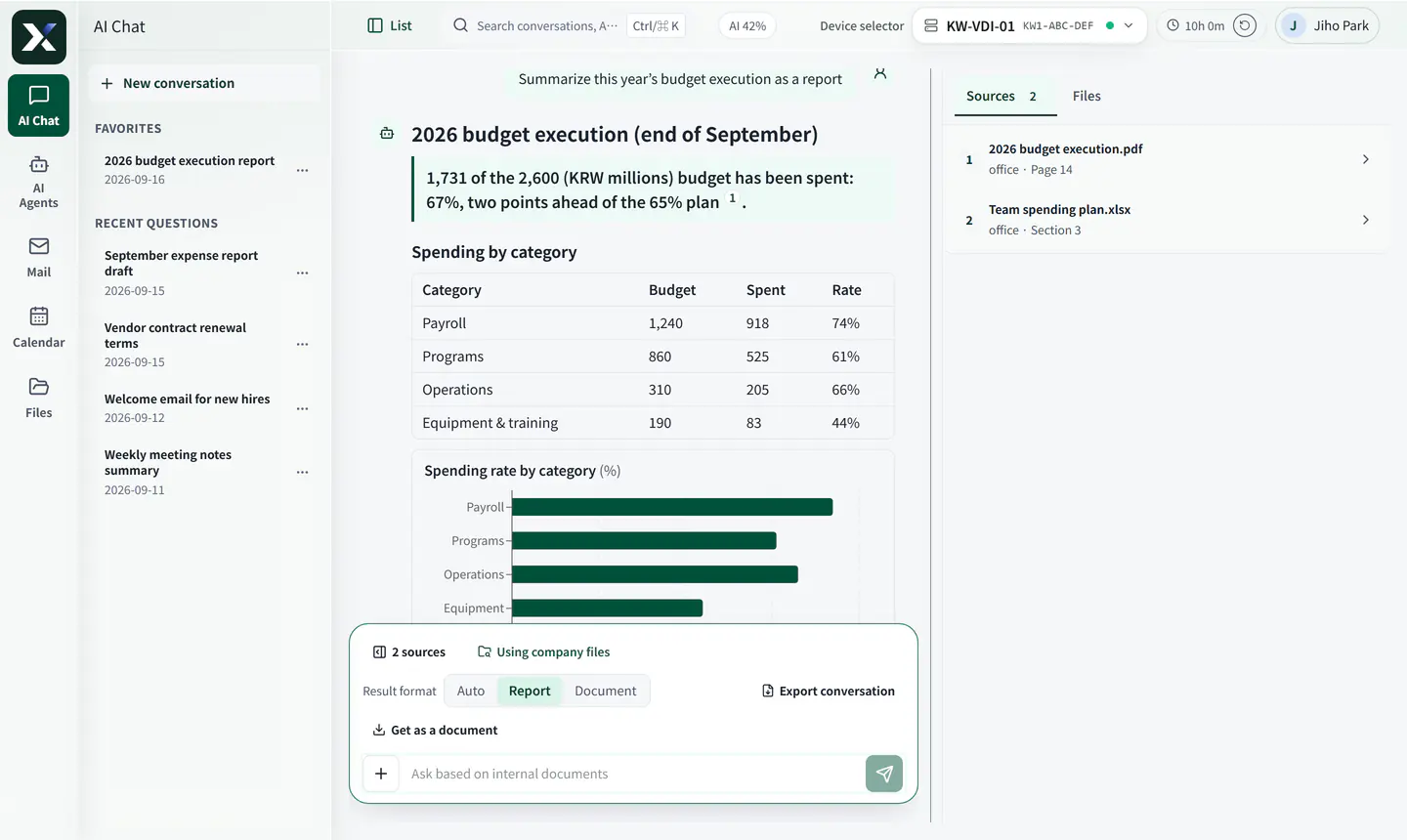
Ask a question and it searches company files, lays out the conclusion with tables and charts, and cites the files and pages it used.
Find the right document without digging through folders.
Draft from common templates and the request.
Employees review AI output and edit only what needs correction.
Files an employee cannot open are never used in an answer.
Current console screens, captured with a sample company’s made-up data. Open any screen to see each highlighted part explained.
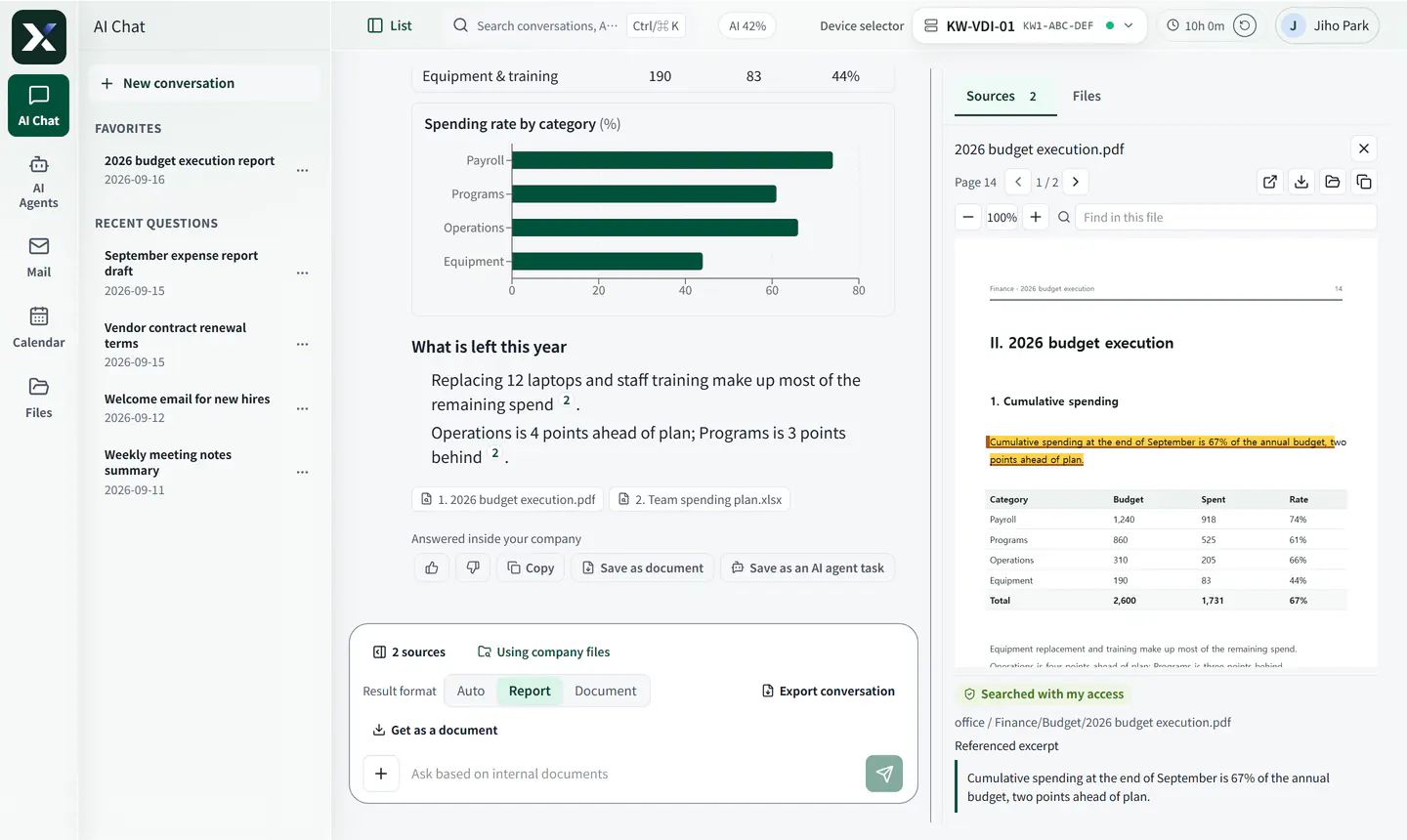
Click a source and the exact page opens, with the sentence used in the answer marked.
Click a source to open the exact page of that file.
The sentence used in the answer is marked on the page.
Only files in folders the employee can open are used.
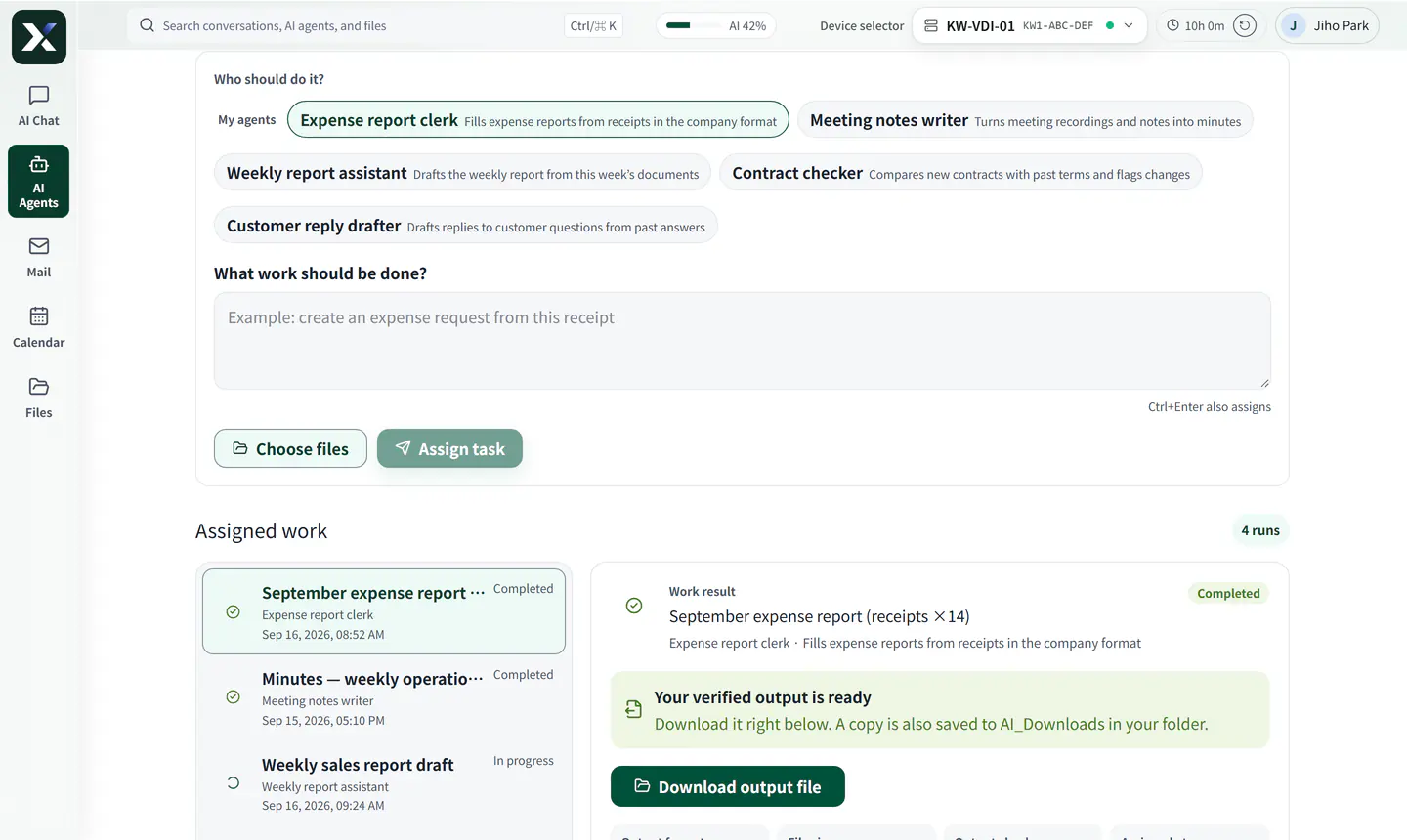
Hand over expense reports or minutes and get back a file in your company format. An employee checks it before it is used.
Pick the AI agent for recurring work like expense reports or minutes.
Describe the work in plain words and attach files.
Review the file made in your company format, then download it.
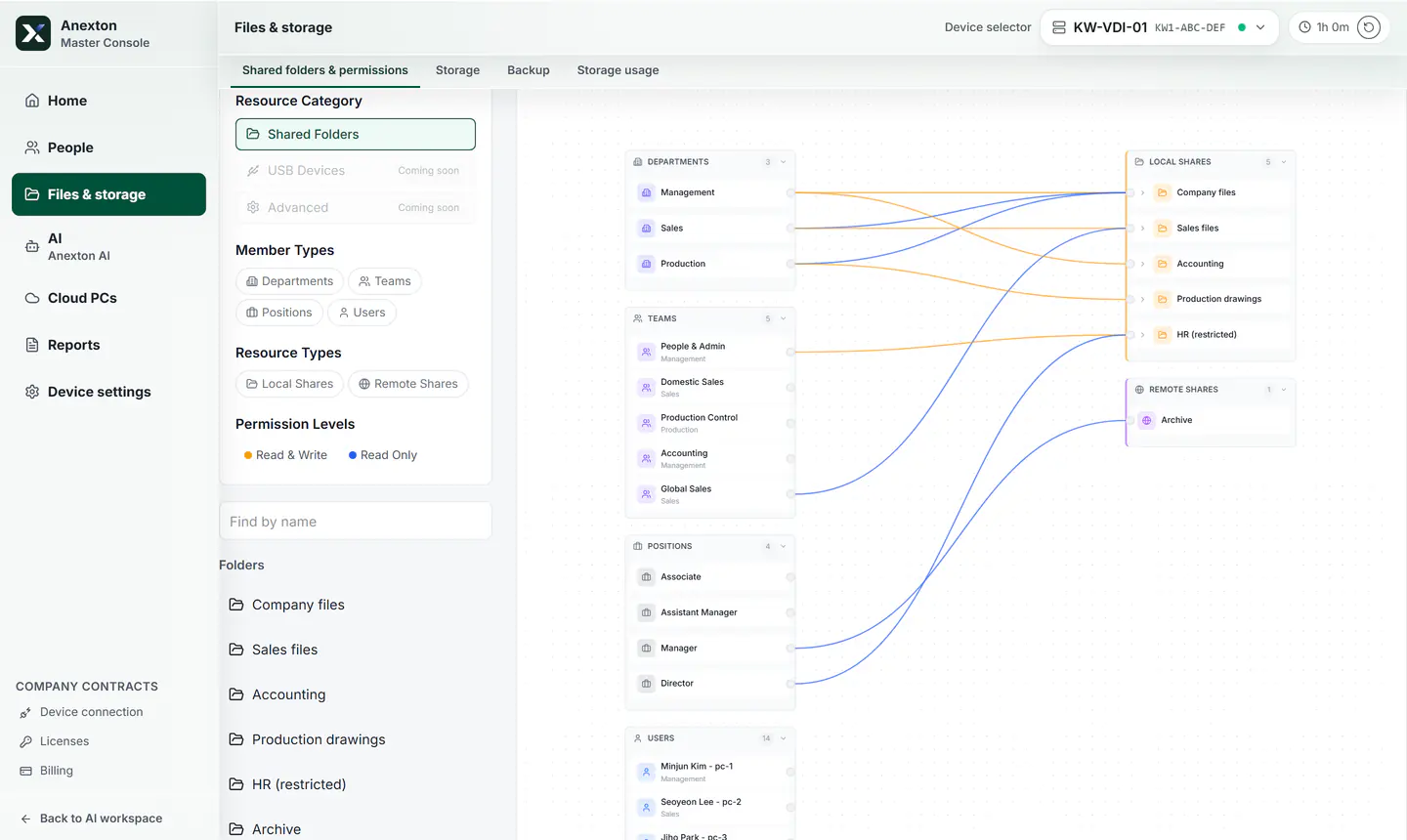
Set folder access once — AI answers only from files that employee can open.
Grant access by department, team, or role — not one person at a time.
Each line is real access: orange can edit, blue is read-only.
All company shared folders are gathered on one side.
Pick recurring documents such as expense reports, approval requests, and meeting reports.
Choose which folders, documents, and templates AI may reference.
When the documents do not support an answer, it says so.
Employees confirm amounts, dates, and customer names.
Upload receipts and get an expense report draft.
Find leave, travel, and purchasing rules in company documents.
Start with the features you need and expand when ready.
Download installerAnexton is two products (Anexton One and Anexton Luvo) plus two components inside them. You can have Anexton One set up for you or install it yourself. Check that you are in the right place.
Offices with 10–49 people that want setup and operations handled for them
Files, backup, workspaces, and AI agents on one office device. We handle installation, training, and operations.
Start: Contact us, then decide after a trial
Individuals and SOHO users comfortable installing it themselves
Anexton One, installed by you on a computer you already have: file storage, backup, and document AI. Free to start, with hands-on settings.
Start: Free download, self-install
People who want AI to do tasks on their own PC (Windows 11 Pro or later)
A Windows app: write a request and AI does it in a separate workspace. You keep using your screen. A free demo.
Start: Download the free demo
Employees at companies using Anexton One
The Windows app that opens your Cloud PC. Not sold separately — it comes with Anexton One.
Start: Free download, sign in with your company account
Everyone who uses Anexton One
The in-house AI agents that answer from permitted documents and draft recurring paperwork. Included in Anexton One, not sold separately.
Start: Start with Anexton One (contact us, or install it yourself)