



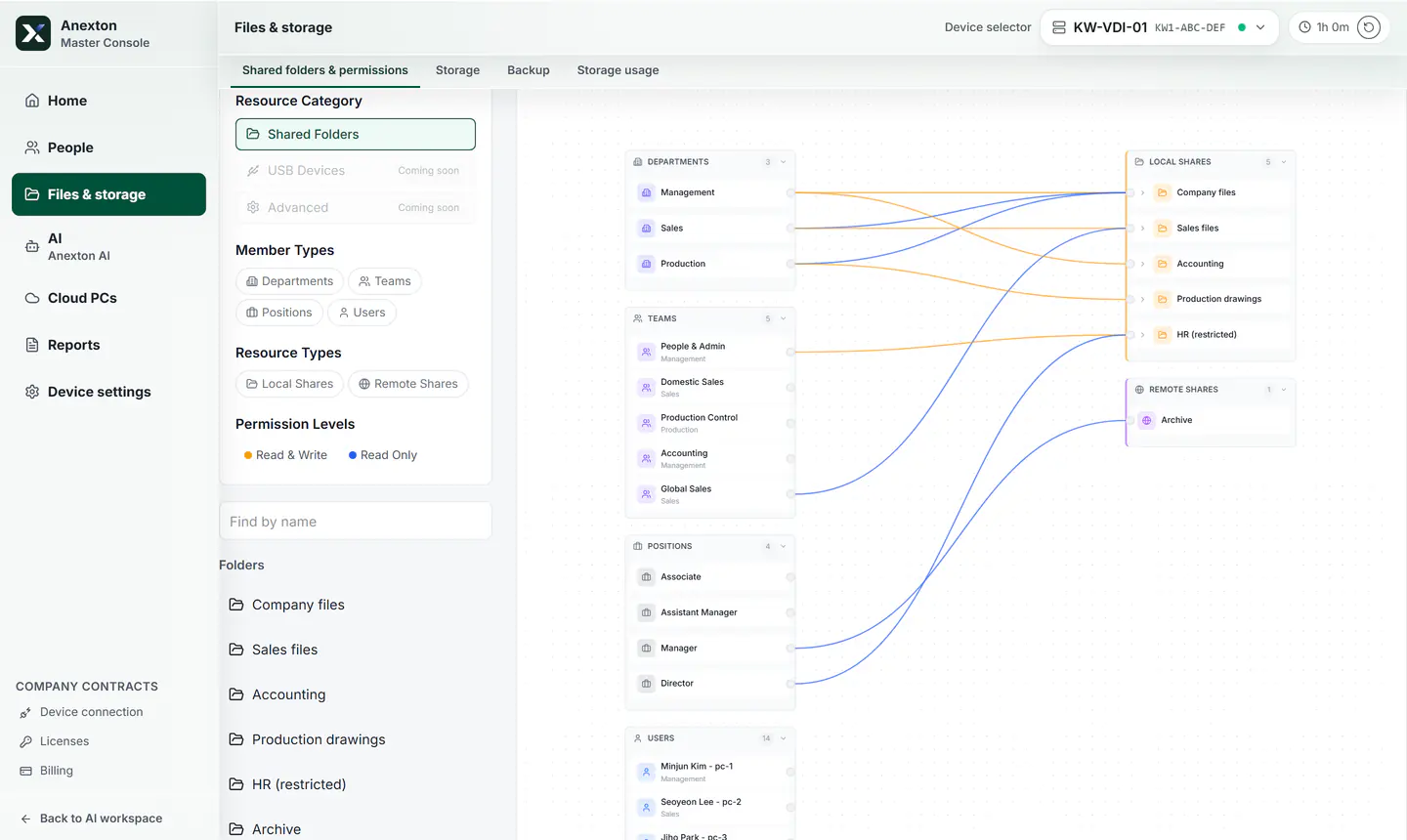
Folder access on one screen
Connect people, teams, and shared folders on one screen.
- Team and role based access
- Works with shared folders
- Read-only and read/write controls
Anexton One for offices of 10-49 people. We install and train your staff. Try it for 2 weeks after setup, then decide.
Installing it yourself? Start free with Anexton NAS & AI, which is Anexton One installed by you.
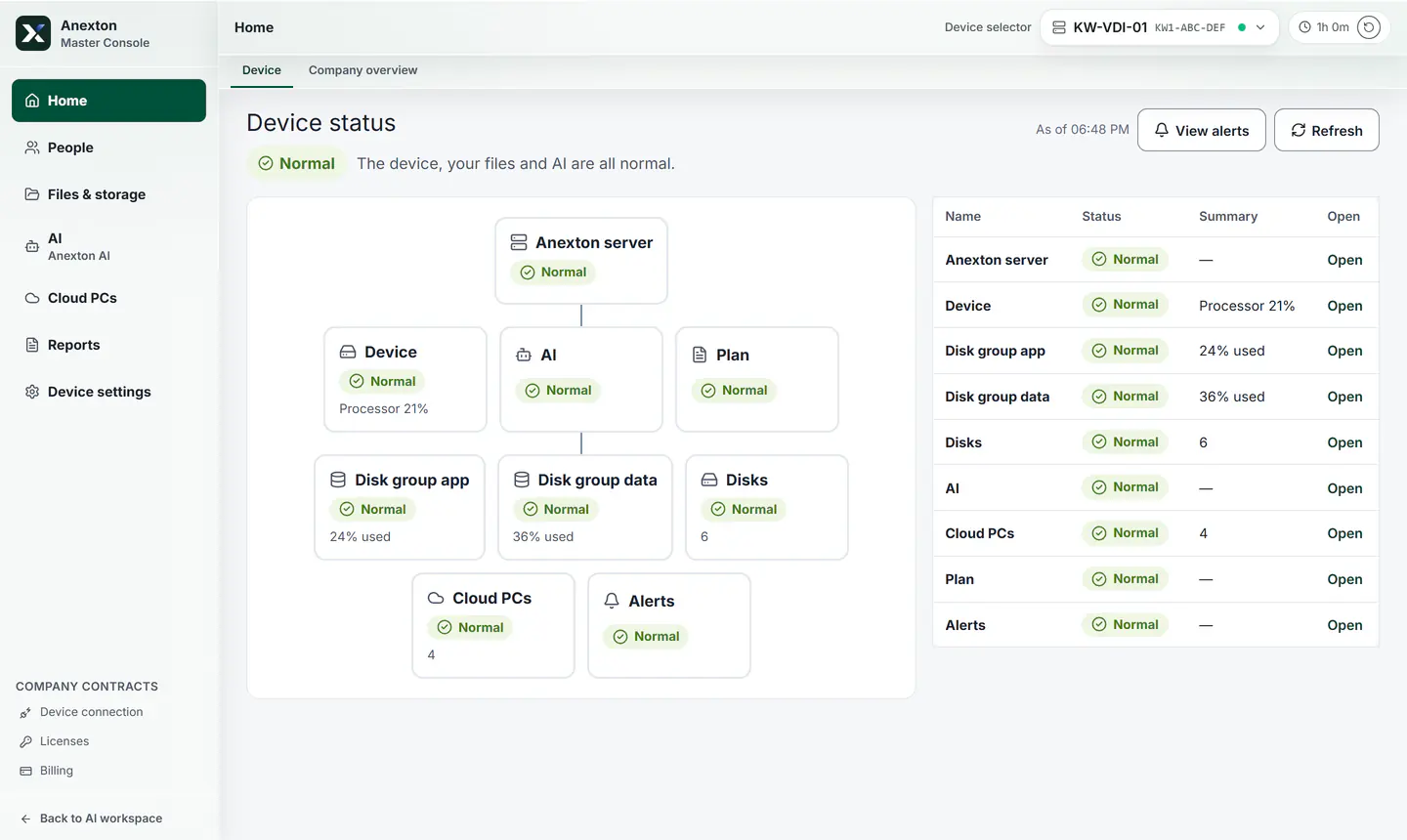
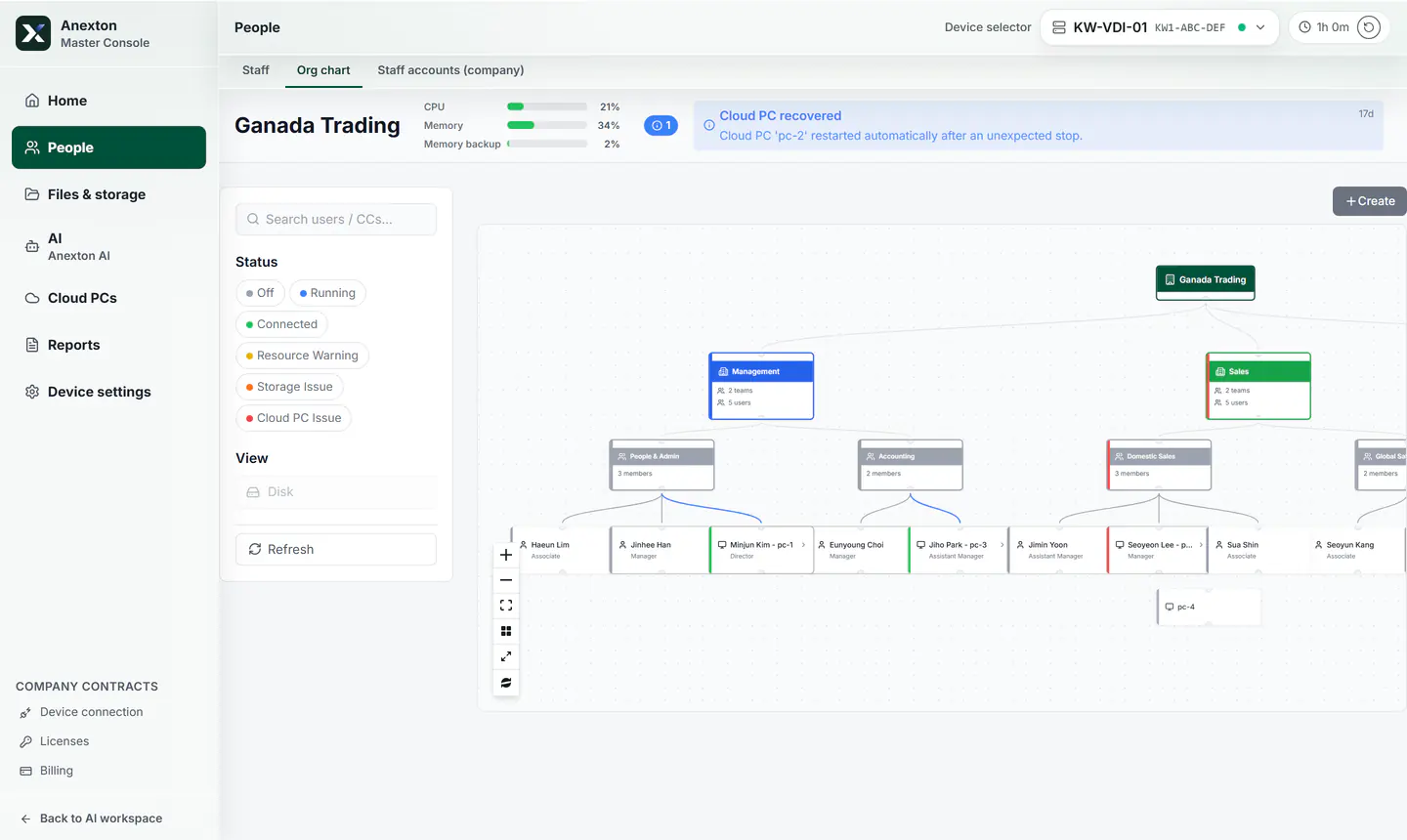
Connect people, teams, and shared folders on one screen.
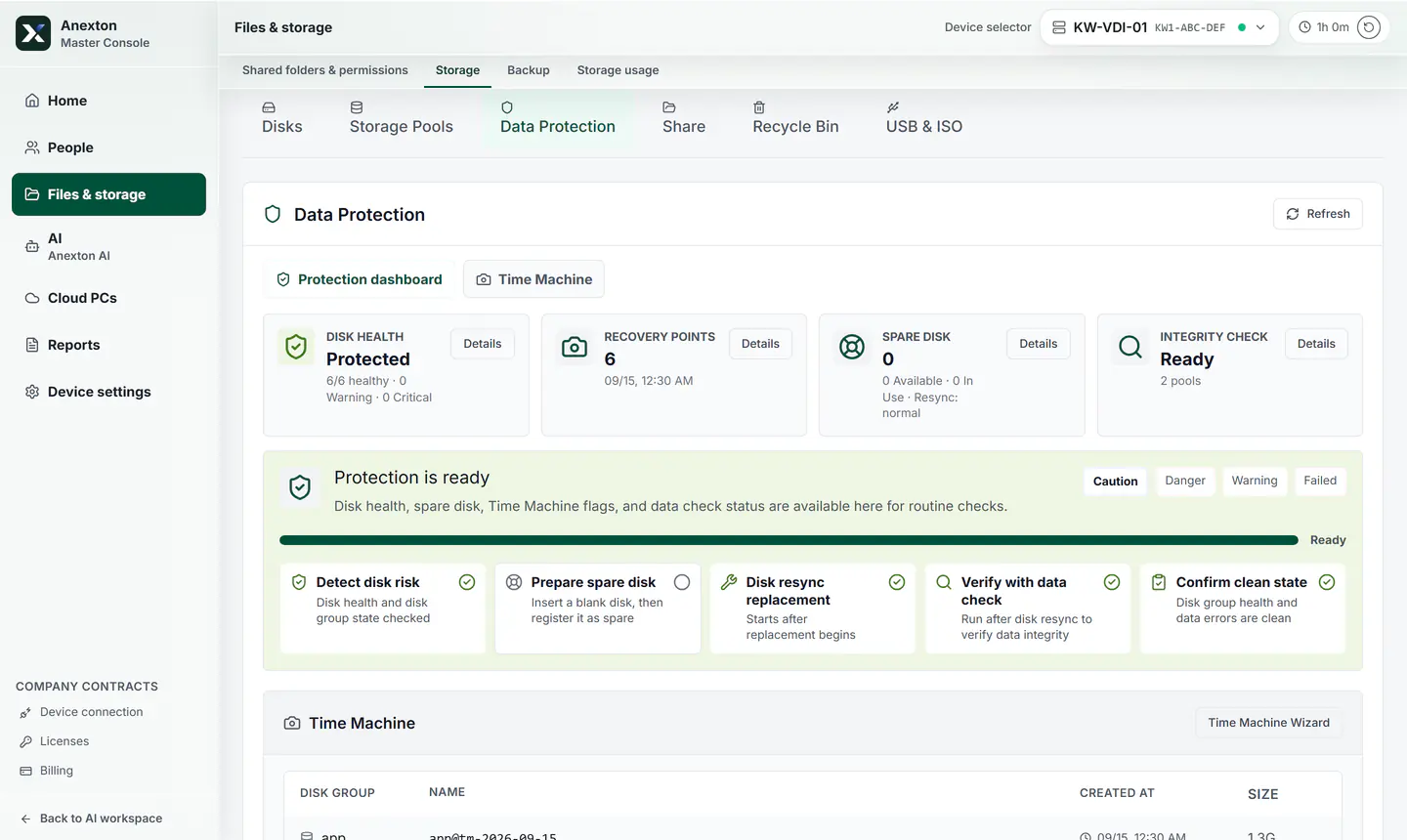
Storage and backup status are shown in plain language.
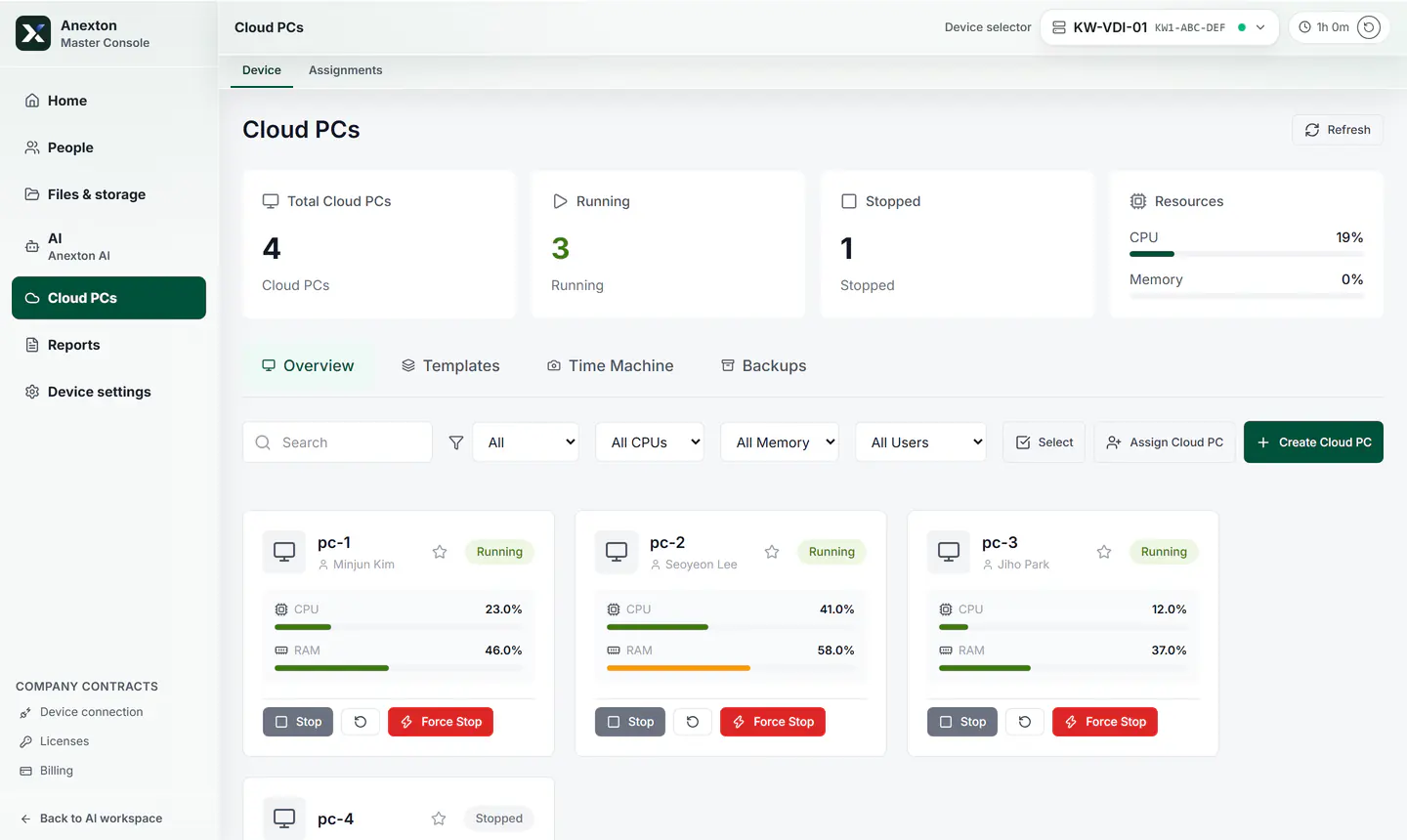
Open the same Cloud PC anywhere. Files stay on the office device.
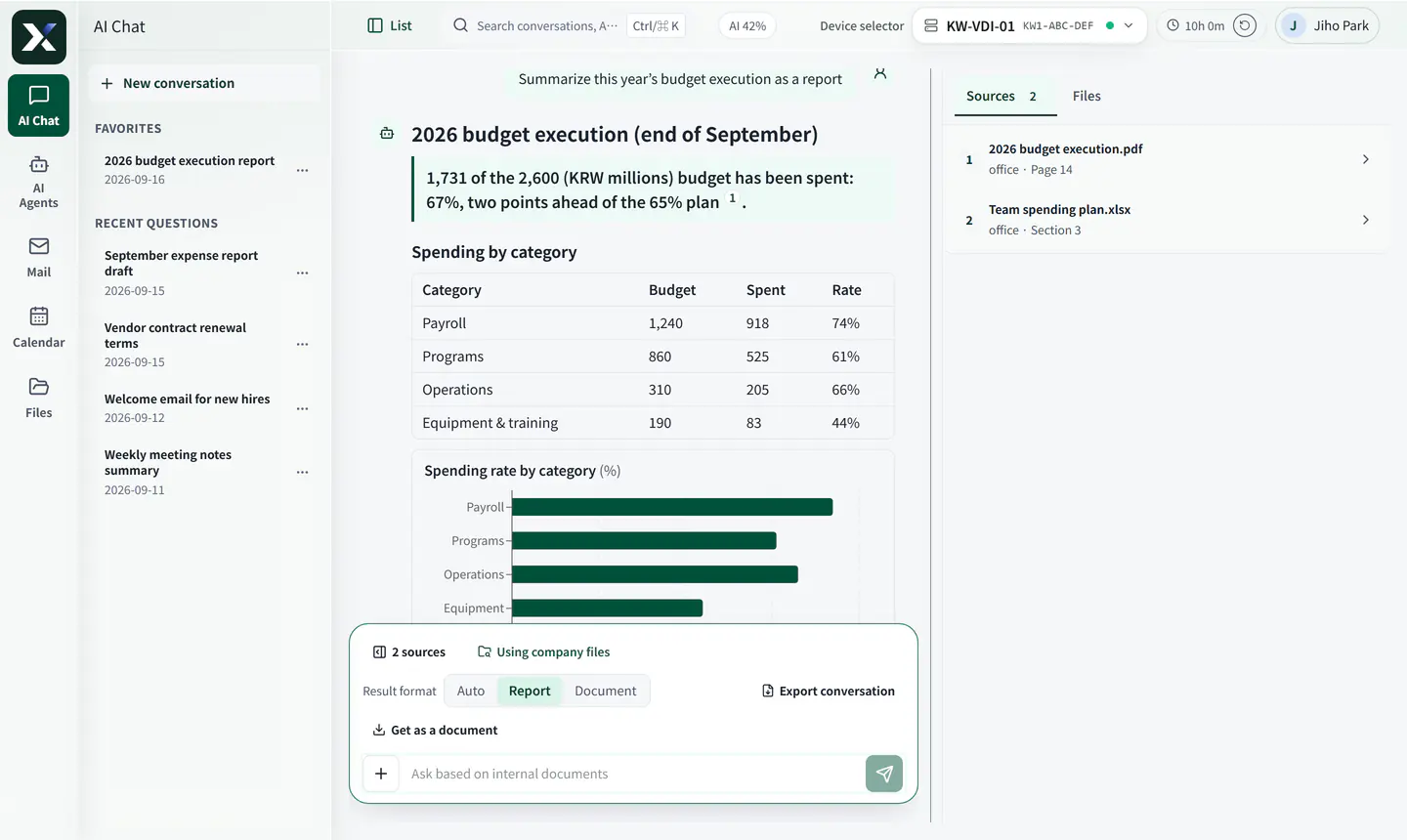
AI agents answer and draft. Teach recurring paperwork once.
Sensitive documents can be kept away from outside AI entirely.
Contracts · Payroll · HR records
Never sent to an outside AI vendor. Processed only up to Anexton’s servers.
Meeting notes · Email drafts · Weekly reports
Heavy computation runs on Anexton’s servers, which store nothing. To answer, only the question and the lines it needs are sent.
Market research · Complex analysis
Only after your company consents to overseas transfer: just the question and the lines it needs. The document file itself is never sent.
A personal ChatGPT account knows nothing about your folder permissions. Whatever gets pasted — payroll, contracts — goes along, and the company never finds out. Anexton answers within each employee’s permissions, and sensitive documents can be kept away from outside AI entirely.
No. Start with Anexton AI or an outside AI without one, and add a GPU later if you like. A GPU is only required if every AI step must run on the device in your office.
AI that takes on recurring company work. Show it one example document and it drafts the same document from then on. An employee reviews and submits the result.
No. Connect the NAS or cloud drive you already use. If files have no home yet, keep them in the shared folders on your office device, which we recommend for use with the in-house AI.
Yes. We handle setup and training, and day-to-day management is a single browser tab.
Original documents and the search index stay on your office device. Building the index sends document text, each question or AI employee task sends the passages it needs, and an attached photo is sent as is, to Anexton’s servers for processing — nothing is stored there, and an admin can turn off index processing. Outside AI is used only after your company consents to overseas transfer, and you can block outside processing for chosen documents. Masking personal IDs is an option on request.
They stay on the disks in your office device. Tell us before you cancel and we will help you back them up.
The term depends on the length of the contract. We explain it when we talk.
Backups are kept inside your office only.
One person, free, self-installed. For offices of 10–49 people we recommend Anexton One.
Files, company AI, and Cloud PCs on one office device.
Anexton is two products (Anexton One and Anexton Luvo) plus two components inside them. You can have Anexton One set up for you or install it yourself. Check that you are in the right place.
Offices with 10–49 people that want setup and operations handled for them
Files, backup, workspaces, and AI agents on one office device. We handle installation, training, and operations.
Start: Contact us, then decide after a trial
Individuals and SOHO users comfortable installing it themselves
Anexton One, installed by you on a computer you already have: file storage, backup, and document AI. Free to start, with hands-on settings.
Start: Free download, self-install
People who want AI to do tasks on their own PC (Windows 11 Pro or later)
A Windows app: write a request and AI does it in a separate workspace. You keep using your screen. A free demo.
Start: Download the free demo
Employees at companies using Anexton One
The Windows app that opens your Cloud PC. Not sold separately — it comes with Anexton One.
Start: Free download, sign in with your company account
Everyone who uses Anexton One
The in-house AI agents that answer from permitted documents and draft recurring paperwork. Included in Anexton One, not sold separately.
Start: Start with Anexton One (contact us, or install it yourself)